AI Text to Speech for PDFs, Books & Web Pages

Turn PDFs, EPUB books, web pages and scanned documents into natural-sounding audio with AI voices. Read Anything. Listen Naturally.
  • Natural AI Voices
  • Real-time Highlighting
  • Scan & OCR Any Book
  • Multi-language Translation
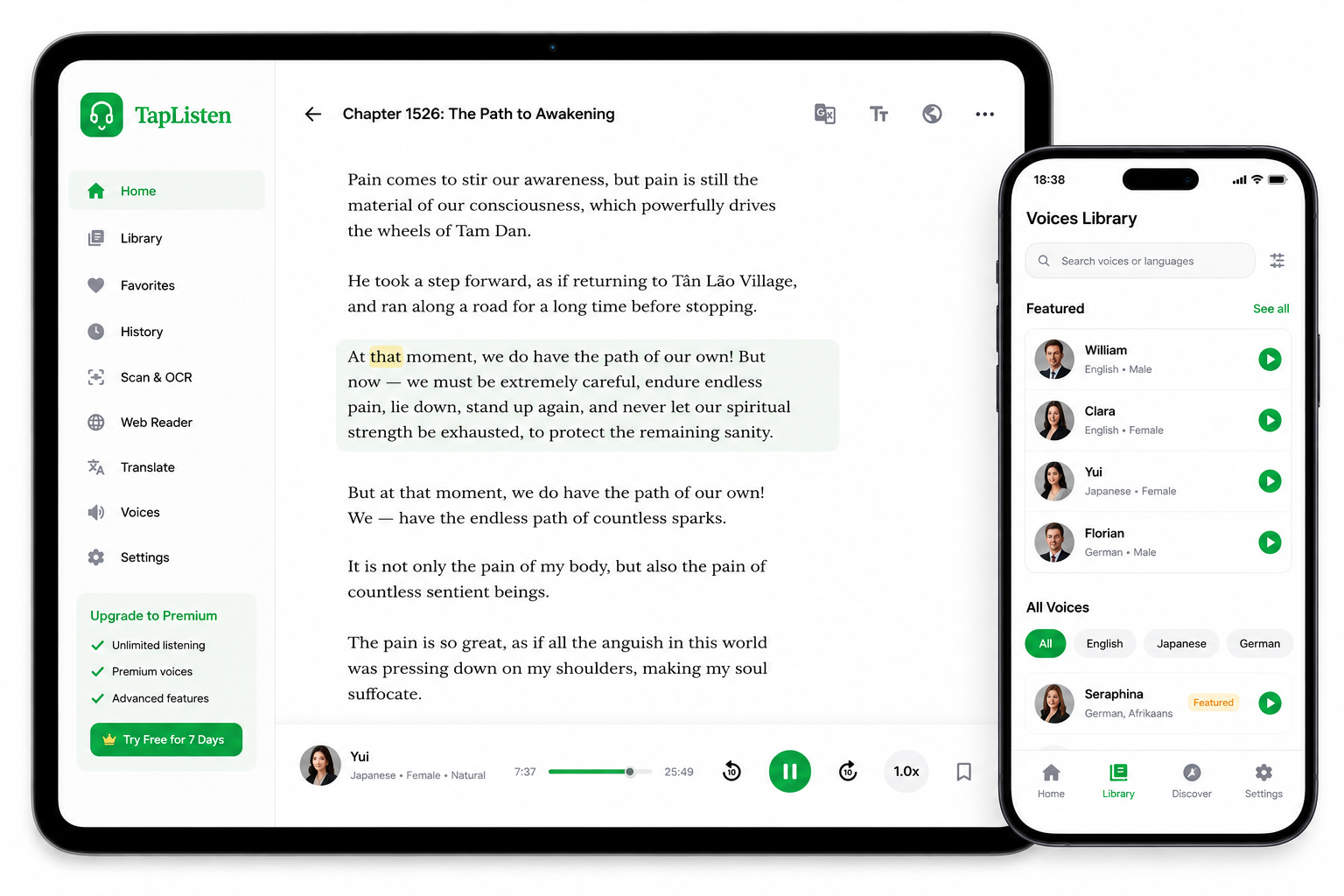
TapListen showing a book chapter on a tablet with real-time highlighting, and the Voices Library on a phone side by side

Everything You Need for an Immersive Reading & Listening Experience

Import Anything

PDFs, EPUBs, DOCX, RTF, TXT, Markdown, web pages, and scanned images — 10 formats in one place.

Scan & OCR

Scan printed books with AI OCR and convert to text.

Natural AI Voices

Choose from 200+ AI voices across 12 languages and accents — including on-device offline voices.

Follow Every Word

Real-time highlighting keeps you focused and engaged.

Translate Instantly

Understand any language while keeping your place.

Customize Freely

Adjust font, spacing, theme and playback speed.

How TapListen Works

Import or Scan

Add files or scan printed pages with your camera.

AI Understands

Our AI OCR extracts and cleans the text perfectly.

Listen & Follow

Listen with natural voices while following every word.

Learn & Enjoy

Stay informed, learn faster, and enjoy more.

Frequently Asked Questions

What kinds of files can TapListen read?
TapListen reads 10 formats: PDF, EPUB, DOCX, RTF, TXT, Markdown, web URLs, web HTML pages, Kindle Cloud Reader books, and images via AI OCR. Scanned PDFs and photographed book pages are supported too.
Which languages and voices are available?
TapListen offers 200+ AI voices across 12 languages, including English, Spanish, French, German, Japanese, Portuguese, and more. On-device offline voices are available on both iOS and Android.
Can I listen offline?
Yes. Once a document is imported and audio is generated, you can listen offline without any internet connection. On-device offline voices also work without a network.
Does TapListen work with scanned PDFs?
Yes. TapListen uses AI OCR to extract and clean text from image-based or scanned PDFs that standard readers cannot process — including multi-page camera scans.
How do I get started?
Download TapListen free on iOS or Android, tap Import, and choose a PDF, EPUB, web URL, or scan a book with your camera. Audio playback begins in seconds.
Which devices does TapListen support?
TapListen is available on iOS 17+ (iPhone and iPad) and Android (phones and tablets, minSdk 26). Your library and progress sync across devices.

Start Listening Today

Free on iOS and Android. Import your first document in under a minute.